1
Appendix G – DK242 Calibration
Spectral Products
G. DK242 Calibration
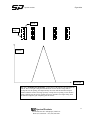
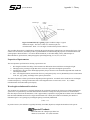
The DK242 establishes a zero order offset value for each half of the monochromator. In other words, each grating has its
own zero offset. Calibration offset is different in that one value is established for each pair of gratings. It is very
important to have the DK242 zeroed properly to receive a satisfactory output from the monochromator.
You will need two small hex wrenches (1/16” and 3/32”) and a visible light source for this procedure. A laser source
such as a HeNe works best, but it can be done with a white light and atomic line pen lamp.
1.
2.
3.
4.
5.
6.
7.
8.
9.
Whether your DK242 was purchased in either ADDITIVE or SUBTRACTIVE dispersion mode, it must be in
ADDITIVE mode to perform the zero function. If your DK242 is subtractive, you can change to additive mode
any of the following ways:
a.
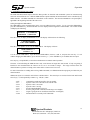
If you have a handheld control module, you can change to additive dispersion by pressing
OPTIONS, the number 4, then enter.
b.
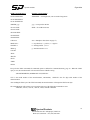
If you have a diskette with the SP Novram utilities program on it, run that program to access the
Program/Change values screen. Change address 37 to read 65520.
c.
You can access the SP website www.cvilaser.com to download the Novram software as well. Click
on Spectral Products, Download Software, and then the file 8-0114-d.exe.
Once the DK242 is in additive mode, remove power from the unit. Remove the slit cover plates, remove the
cover, and then remove the top baffle.
Apply power and set your light source to the entrance slit. Once the DK242 has finished it’s reset routine,
instruct it to GOTO zero. See if light is moving through the middle slit. If it is not, you must manually step the
M1 (machine #1 – the half closest to the entrance slit) grating until the best throughput is achieved. This can be
done either with the handheld controller (MANUAL mode) or with the demo software (increment/decrement).
Once the zero order is optimized for M1, issue the ZERO command for M1. The monochromator will now
perform a reset routine. Once reset, GOTO zero and check that the light goes through the middle slit. If it is not
quite optimized, repeat the procedure until you get the throughput desired.
After M1 is properly zeroed, instruct the DK242 to GOTO zero. Observe the light at the exit slit. If the light
does not exit the monochromator, M2 must be zeroed.
To zero M2, you must unplug the motor wires from M1 (the four or six wires running directly from the motor to
a small circuit board on the DK242 end plate), then manually step M2 just as you did for M1 above. Once the
light exits the entire monochromator, plug the M1 motor wires back in, and issue a ZERO command for M2.
Once your light source exits the entire DK242, the zero process is complete.
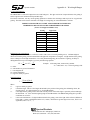
If your DK242 was set up in subtractive dispersion mode, you may now change it back to subtractive mode for
calibration. If using the Novram utility, address 37 should read 65529.
To calibrate the DK242, GOTO a known spectral line and manually step the monochromator for proper
throughput. It may be necessary to open one of the slits to achieve this. Typically, for additive dispersion, the
middle slit is wider than the entrance and exit slits, and in subtractive dispersion mode the exit slit is kept wider
than the entrance and middle slits. Once the proper output is obtained, issue the CALIBRATE command. The
DK242 will once again perform a reset routine.
Replace the baffle and covers.
Spectral Products
200 Dorado Place SE Albuquerque, NM 87123
Phone (877) 208-0245 Fax (505) 298-9908
43