1
16 / 49
1.2 System Shutdown
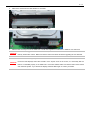
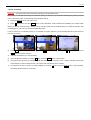
To turn off the power, press the power button for proper shutdown of the system. Do not turn off the power by pulling the
power plug.
In case the power plug is pulled off while the system is operating, the currently recording file may not be closed
Caution
properly. In addition, even though index file is not damaged, index information required for quick file search may
be not saved. Therefore, turn off system power by pressing the power button to prevent malfunction.
1.3 Countermeasures after abnormal shutdown
The DVR has been designed to operate for long periods without a problem.
The operation of the system can be locked up however, when major parts (such as hard disk) function abnormally due to
external electric shock, physical damage, or other various reasons.
The system stops operating during abnormal situations, and the internal watchdog circuit is activated in order to reset the
system for rebooting within 10 seconds. The system will then recover normally. However, if major parts (such as hard disk)
are physically damaged, it is impossible to recover normally. This will cause continuous rebooting by watchdog or deadlock
without reset.
However, there are occasions where system does not come back from the failure even after reset. For example, from effect
of strong surge or ESD into the system can cause system halt and not be able to function. To prevent the occurrence of
such cases as above, our DVR has applied Heart Beat Module into our product’s inner architecture. If our system
encounters complication within 1 or 2 minutes then the Heart Beat function rush out forward. Heart Beat function is
working; means it has ability to put power off and on. If Heart Beat is operating properly then, Heart Beat will automatically
turn power off and on the system accordingly.
Our DVR units are originally designed and developed for installing in automotive purpose. Therefore, our units obtain much
more solid system than other CE approved products. Also, our DVR’s surge resistance level is much higher than our
competitor’s. Therefore, when there is strong surge or system halt attempt to defect our product’s performance, Heart Beat
will be there to bring the system back to normal.
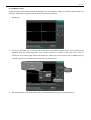
2. Rear Time Live Mode
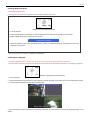
Real time live image from cameras can be seen after inputting power.
2.1 Screen configuration
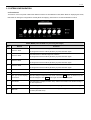
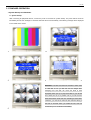
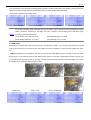
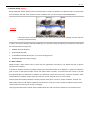
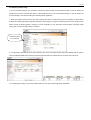
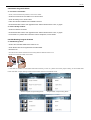
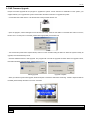
Above is the typical real time mode screen from 4 cameras. Press TITLE button on the front panel to control the display of
OSD. Whenever the button is pressed, the display of OSD will toggle between appearance and disappearance.
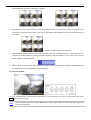
The following is the explanation of each item displayed on the screen from single to quad screen as above.
1.
REC: REC mark appears when the DVR records any of four channels. If the user switches off all the recording option