1
Operating with the Remote Control
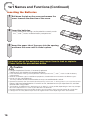
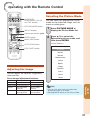
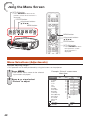
Selecting the Picture Mode
CONTRAST,
BRIGHTNESS, COLOR
and TINT buttons
PICTURE MODE button
IRIS 1/2 buttons
You can select the appropriate Picture
mode for the projected image, such as
movie or video game.
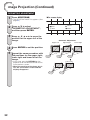
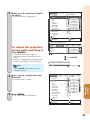
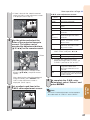
1
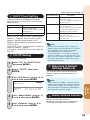
Press PICTURE MODE to
display the Picture Mode list.
2
Press P/R to select the
appropriate picture mode, and
then press ENTER.
Adjustment buttons (P/R)
ENTER button
MENU HIDE button
AUTO SYNC button
Picture Mode list
Picture Mode
ECO+QUIET button
Standard
Movie1
Movie2
Monochrome
Anime
Sports
Stage
Dynamic
Adjusting the Image
User1
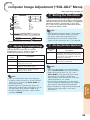
You can adjust the contrast, brightness,
color and tint.
User2
Game
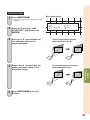
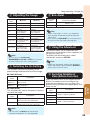
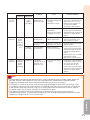
Press image adjustment buttons.
Button
CONTRAST
+ button
- button
For more contrast. For less contrast.
BRIGHTNESS For more brightness. For less brightness.
TINT
For more color
intensity.
For less color
intensity.
For making skin
tones greenish.
For making skin
tones purplish.
Note
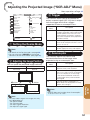
• You can also select a picture mode when
projecting images in 3D mode.
• See page 44 for details on the Picture mode.
Useful
Features
COLOR
37