1
13.1 Clipart ...................................................................................................................................................................... 16
13.2 Using your own graphics ..................................................................................................................................... 17
14 Changing shapes and text.......................................................................................................................................... 17
14.1 Center point ......................................................................................................................................................... 17
14.2 Corner point ......................................................................................................................................................... 17
14.3 Boundary point ..................................................................................................................................................... 17
14.4 Rotation point ....................................................................................................................................................... 17
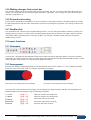
14.5 Making changes from smart bar .......................................................................................................................... 18
14.6 Proportional-scaling ............................................................................................................................................. 18
14.7 Double-click ......................................................................................................................................................... 18
15 Layout functions ......................................................................................................................................................... 18
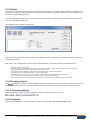
15.1 Alignment ............................................................................................................................................................. 18
15.2 Arrangement ........................................................................................................................................................ 18
15.3 Guides.................................................................................................................................................................. 19
15.4 Grouping objects .................................................................................................................................................. 19
15.4.1 Grouping objects .................................................................................................................................................. 19
15.4.2 Ungroup ................................................................................................................................................................ 19
15.5 Duplicate .............................................................................................................................................................. 20
15.6 Create pattern/layout ........................................................................................................................................... 20
15.7 Mirror.................................................................................................................................................................... 20
16 File functions .............................................................................................................................................................. 21
16.1 New ...................................................................................................................................................................... 21
16.2 Open .................................................................................................................................................................... 21
16.3 Save ..................................................................................................................................................................... 21
16.4 Importing other file formats .................................................................................................................................. 21
16.5 Export................................................................................................................................................................... 21
16.6 Export image ........................................................................................................................................................ 22
17 Print ............................................................................................................................................................................ 22
17.1 Printer .................................................................................................................................................................. 22
17.2 Basic settings ....................................................................................................................................................... 23
17.3 Setup Settings ..................................................................................................................................................... 24
18 Serialization ................................................................................................................................................................ 25
18.1 Continuous badges .............................................................................................................................................. 25
18.2 Text replacement from file ................................................................................................................................... 27
19 Barcodes .................................................................................................................................................................... 28
20 Plotting........................................................................................................................................................................ 28
20.1 Installing a plotter driver....................................................................................................................................... 29
20.2 Configuring the plotter ......................................................................................................................................... 29
20.3 Cutting with one color .......................................................................................................................................... 30
20.4 Cutting with multiple colors .................................................................................................................................. 31
20.5 Weed und Power Weed ....................................................................................................................................... 32
www.maxsystems.eu | Tel: +49 (0) 47 63 / 9 45 95 – 0 | Fax: +49 (0) 47 63 / 9 45 95 – 11
3