1
Time Logger Quick Start
5. Insert the CD ROM to the
computer to ADD Cards
and Edit Card Information
6. Uploading the
authorization table to
the reader
2. Login the Time Logger
to start SETUP
1. Setup the password
for LOGIN first
4. Define the workgroup
3. Setup the RFID reader
Present the ID cards to the
reader, if the com port set up
correctly, the record will be
shown on the screen
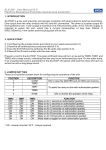
3. JUMPER SETTING
There is a 5-position jumper block for configuring the operation of the unit.
TMR2
OFF
OFF
OFF
OFF
ON
ON
ON
ON
TMR1
OFF
OFF
ON
ON
OFF
OFF
ON
ON
FUNCTION
To select the relay on time with authorization granted.
ON: to reverse the operation of the relay.
ON: to clear the MASTER and ACTION card memory.
TMR0
OFF
ON
OFF
ON
OFF
ON
OFF
ON
FUNCTION
Relay on for 1 second on authorization granted.
Relay on for 2 seconds on authorization granted.
Relay on for 5 seconds on authorization granted.
Relay on for 10 seconds on authorization granted.
Relay on for 20 seconds on authorization granted.
Relay on for 50 seconds on authorization granted.
Relay on for 100 seconds on authorization granted.
Relay state is toggled on each authorization granted.
* ON : Jumper shorted, OFF : Jumper opened
*** Jumper setting for
slave reader
N OT US ED
JUMPER POSITION
TMR2
TMR1
TMR0
RVSE
CLRM