1
6.2 Converter Function .............................................................................. 40
6.3 Parallel Function .................................................................................. 41
1. Safety
6.4 tower 3/1 10K Optional Design of Charger Current ............................. 47
Please read carefully the following user manual and the safety
6.5 Backfeed Protection ............................................................................. 48
instructions before installing the unit or using the unit!
7. Trouble Shooting...................................................................................... 51
1.1 Installation
7.1 Trouble Shooting According To Warning Indication ............................. 51
7.2 Trouble Shooting According To Fault Indication................................... 53
7.3 Trouble Shooting In Else Cases........................................................... 54
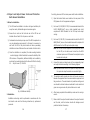
Condensation may occur if the UPS is moved directly from a
cold to a warm environment. The UPS must be absolutely dry
before being installed. Please allow an acclimatization time of
8. Battery Maintenance, Replacement and Disposal................................. 56
8.1 Maintenance......................................................................................... 56
8.2 Replacement and Disposal of Batteries............................................... 57
9. Communication Port ................................................................................ 60
at least two hours.
Do not install the UPS near water or in damp environment.
Do not install the UPS where it would be exposed to direct
sunlight or near heat.
9.1 RS232&USB Interface ......................................................................... 60
Do not block ventilation openings in the UPS’s housing.
9.2 Intelligent Slot....................................................................................... 60
Do not connect appliances or items of equipment which would
9.3 AS400 Interface (Option) ..................................................................... 60
overload the UPS (e.g. laser printers, etc) to the UPS output.
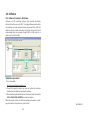
10. Software .................................................................................................. 62
Free Software Download – WinPower ....................................................... 62
Place cables in such a way that no one can step on or trip over
them.
UPS has provided earthed terminal, in the final installed
system configuration, equipotential earth bonding to the
external UPS battery cabinets.
An integral single emergency switching device which prevents
further supply to the load by the UPS in any mode of operation
should be provided in the building wiring installation.
1