1
ln bool mode. you can tap the power bufioB I,
(he smd by moale which can save power
Chapter One Overview
on the upper right siale of the bblet, the system
wili into
1-1 Appearance
Ctose the standby mode
the stand by mode, light tap of
L
nomal
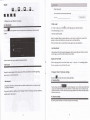
Picture for refercnce only, Please subject to specific products.
1-5
the power button on the right sid€ to wake up the device,
state-
Lork and unlock the
screen
Lock
You can 5el up lhe (lecp lime in $e
Tl1e
sysm will
inactivity
't
\y{em ot'drrplay
.
sleep automatically and lock the screen to the
w'hen reaches ahe presel of
sffidby mode ifwithout my
stmdby time.
-2 Btrttons
Po$'er button
Long press the bufios
WlEn
up the
opa
Iabout
2-3 smnds to open lhe
the Eblet, shot p.ess tt
sen.
is
I
sclm.
to enttr the ofi
-sseen sute
ed
sho{ press again io lighl
Volume
I
Set
this !o adjust the volume
up
This key
ff
Utrlock
to set up rhe applications
'l-3 Open and shut down
Open
Long press the power
bunml
on the right side, A9 sign mal picEres
wll
show up in tum until
b
the in@rface-
Shut down
Long press the powerbutoJ,
<sue> to shut down.
then the screen snows< would you like to shut
dom>, pr€ss
In chilging state, when the tablet is off, press the righl upper "power butoa" it will shows
"charging" figure. once again to click "powerbufion", the equipment will be opened.
1-4 Open and close standby mode
Open the stlndby mode
Move the
sim E
oq
E
rfris
Lo
to unlock.,how
mlocl,
the
as
scren md
below
flFr
lhe apphcanon
lntfftre
@tq the