1
Operation Guide
Product Description
7. Key Tone
To turn on or turn off key tone, keep the four figure keys--"1", "2" , "3" and "4"
touched simultaneously until all keys flash momentarily once to confirm the
setting, then release them.
With key tone ON, when you rotate the touch toggle to the maximum or minimum
value, the key click disappears.
With key tone OFF, when you rotate the touch toggle to the maximum or minimum
value, all keys flash repeatedly 3 times.
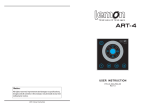
Thank you for purchasing our digital product ART-4. You now hold a premiere
LED controller with DMX 512/PWM output. Its compact and portable design is
convenient to mount and easy to operate for users. It's key features consist of
as the following:
Touch interface
DMX 512/PWM output
ART-4 uses RGB three channels, 2A per channel, 6A in total.
Red is controlled by channel 1, 4, 7...
Green is controlled by channel 2, 5, 8...
Blue is controlled by channel 3, 6, 9...
LED indicator to display the current output
Four function menus
8. Default Setting
To record and play back upto 4 scenes and 4 colors
Touch "P" key and "B" key simultaneously and hold on for about 10s until all
keys flash once to resume default setting. All the settings by the user are
deleted. The fadetime for color change and power ON/OFF is 2 seconds, and
the recorded scenes will be replaced by default setting.
To set fadetime for Power on/off and color exchange in the range of 0 to 4s
To assign key tone ON/OFF
To select input voltage in DC12-24V according to the output loading voltage
Function memory and power failure protection
EU and US versions optional
Unpacking
Check for transport damage.
You should be in possession of the following items:
1 ART-4
1 User manual
Every ART-4 has been tested at the factory before shipping to you. Please
spend a few minutes inspecting the package. Should you discover any
transport damage after unpacking the equipment, inform the hauler
immediately. Never connect a damaged device. You may also contact your
supplier.
Page 8
ART-4 User Instruction
ART-4 User Instruction
Page 1