1
CleverQ® Introduction and Setup Manual
Table of Contents
Introduction ......................................................................................................................... 4
Features ........................................................................................................................... 4
Requirements ................................................................................................................ 10
Installation......................................................................................................................... 11
Licensing ....................................................................................................................... 11
The Setup Program ....................................................................................................... 11
File Locations................................................................................................................ 15
Starting the Software..................................................................................................... 15
Registration and Activation .......................................................................................... 16
Using the Software ............................................................................................................ 16
Program Menu .............................................................................................................. 16
CleverQ™ Data Files .................................................................................................... 17
Preferences .................................................................................................................... 19
Subscription Service ................................................................................................. 21
Departments .............................................................................................................. 21
Data Sources ................................................................................................................. 22
Support .............................................................................................................................. 23
User Manuals and Help ................................................................................................. 23
Introduction and Setup Manual ................................................................................. 23
General User Manual ................................................................................................ 23
Customization Manual .............................................................................................. 23
Extractors Manual ..................................................................................................... 23
Security Manual ........................................................................................................ 23
Report Manager Manual ........................................................................................... 23
Data Package Creator ................................................................................................ 23
SDK (Software Developers Kit) Programmer’s Reference Manual ......................... 24
Adobe Reader............................................................................................................ 24
Installation............................................................................................................. 24
Using the Reader ................................................................................................... 24
Websites ........................................................................................................................ 26
Support Website ........................................................................................................ 26
Support Blog ............................................................................................................. 27
Program Updates ........................................................................................................... 27
Technical Support ......................................................................................................... 27
Training ......................................................................................................................... 27
Customization ............................................................................................................... 27
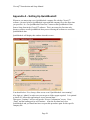
Appendix A – Setting Up QuickBooks® .......................................................................... 28
Appendix B – Batch Jobs .................................................................................................. 30
Copyright © 2008- 2012, CleverQ
Patent Pending
Designed for use with QuickBooks®