1
Shenzhen SUNSKY Technology Limited
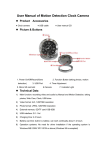
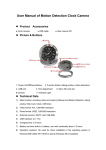
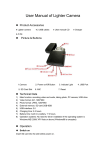
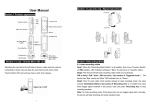
a 1.indicator:part(7) is light indicator
Switch on: green light and red light is on, and then green light is still on.
Switch off: green light and red light flash three times
USB status: a long green light, the green flashes reading and writing the U disk
USB Battery Charging: a long green light, red light flashes, the battery is full, a
long green light, and red light is out.
Video mode: Start recording: the green light flashes six times, lights eliminate.
Video Pause: long green light
Low battery: green light flashes quickly
Charging: a long green light and the red light flash slowly.
Full power: a long green light and red light is out.
a 2.button:K1 :touch the button to turn on ,turn off, start, stop, video recording
K2: for the camera, open and view the current state of motion detection.
a 3.socket: USB socket(1) is used to connect computer or charger. It is the
Interface for data transfer and charging
a 4.camera :(6) it is used to get the image signal
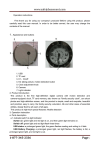
a 5. Clock adjustment knob: it is used to adjust the watch time.
b. on/off
Long Press Power key (K1) boot, the camera began system initialization (both the
green and red light), the initial completed, then red light is off, a long green light to
enter the default camera, take pictures, mobile detection standby mode, after turning
on, long press Power key (K1) to save the file and shutdown (Lamps off three times
while flashing).
c. mode change
The machine has quick access to the mode state functions: boot initialization
finished, each mode can be entered directly through the two buttons without mode
switching.
d. video mode:
When the machine is turned off, insert the TF card (Figure 2), long press Power key
(K1), dual-lamp light, the system initialization and then the red light is off ,green light
long, at this time the camera at the default camera mode, photo mode, motion detection
mode state; short press Power key (K1), the green light flashes, in order to save energy,
a total of six flashing, green eliminate, and enter into the video camera, short press "
K2 "button to view the current working state, the green light flashes six times then out;
short press" K1 "key, a long green light, to save the file and stop the camera and return
to camera mode, camera mode, motion detection mode standby. In order to secure the
preservation of documents, files will be saved every 30 minutes; then it will proceed to
the next section of the video recording.
2