1
D
i
g
i
g
r
a
m
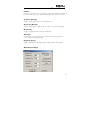
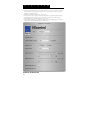
Clock
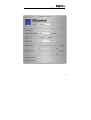
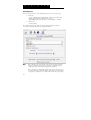
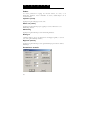
The clock corresponds to the digital bit clock to which the card refers.
When an analog input is selected, the Source can be either the internal clock
or taken from the digital input. As soon as the digital input is selected, the
clock is read from this input.
The Frequency flip menu allows selecting the sampling frequency of the
selected card: 32, 44.1 or 48 kHz. It must be set according to the sampling
frequency of the project you are working on.
Sample size
Defines the number of bits per sample. It must be set in accordance with the
sample size of the project you are working on.
Digital output
Defines the format of the digital output signal:
•
•
•
Consumer (S/PDIF) or
Professional (AES/EBU).
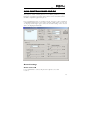
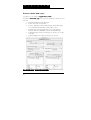
Level settings
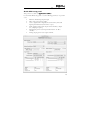
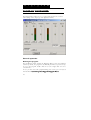
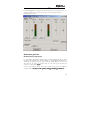
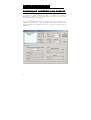
Click on the tab of the I/O device you want to set. Leaving the mouse pointer
a few seconds on a slider shows the available settings range (tooltip box). The
exact setting value is displayed near each slider.
Input
The flip box allows switching between the different types of input: line or
digital.
For any input type, a digital gain can be added to the signal, if necessary. Its
default position is in front of the bold dot (0 dB).
All these input settings apply on both channels of the selected stereo device.
26