1
Overview
This manual describes the installation, operation and interaction of all Schlage PIM400-485
models with Access Control Panels (ACPs) and Wireless Access Point Modules (WAPMs).
The PIM400-485 is a product in the AD-400 Wireless Panel Interface Module (WPIM)
category.
There are two versions of the PIM400-485. Both versions have the same features and
connections, and both have interchangeable configurations and settings.
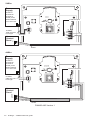
• The PIM400-485 is wired to a UL or cUL Listed compatible Access Control Panel (ACP).
• The PIM400-485 has been evaluated for UL and cUL compliance in indoor applications
only, within the protected premises.
• Connect the PIM400-485 to external power using a UL294 Listed power limited power
supply for UL installations, and a ULC S318/ULC S319 Listed Power Supply for cUL
installations.
• Installation location is determined by the location of the WAPM. The PIM400-485 is
ideally installed very close to the ACP.
• The PIM400-485 communicates to the WAPM(s) using Radio Frequency (RF).
• The WAPM is installed at the access point where access will be controlled and/or
monitored.
• The PIM400-485 enclosure is NEMA Type 4.
Getting started
The following is an overview of the steps required to set up the PIM400-485:
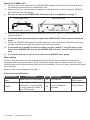
1. Install the WAPM (AD-400, WPR400, etc). See the installation guide that came with the
WAPM, or visit www.schlage.com/support for more information.
2. Make sure the PIM400-485 is located to allow for optimum RF signal transmission. See
Determine the location on page 6 for more information.
3. Before installing the PIM400-485, check for proper communication function and linking
with WAPM(s). See Pre-installation test on page 6 for more information.
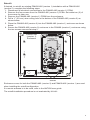
4. Make sure to follow unique installation procedures if installing on an indoor metallic
wall. Refer to Mount the PIM400-485 on page 8 for more information. Consult the
Schlage Utility Software User Manual for information about configuring the PIM400-485
and the WAPM.
5. Familiarize yourself with the information contained in this user guide.
This user guide is for the PIM400-485 only.
Save this user guide for future reference.
3