1
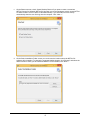
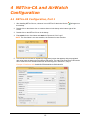
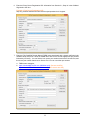
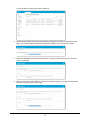
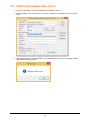
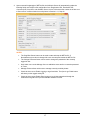
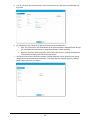
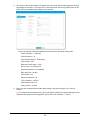
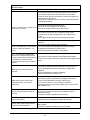
4. Upon successful registration of NETira-CA, the AirWatch Server will automatically update the following fields on the NETira-CA configuration form: Registration URL, Enrollment URL, Command URL, Alert URL, and AirWatch Server Version. Write down the number in the box next to Secure Port. It will be needed to enroll printers in Section 6.1.1, Step 3c. NOTES: The Stop/Start Server button can be used to start and stop the NETira-CA. If Normal/Secure port value is changed the user must stop and restart the NETira-CA. The Change Password button can be used to change the password of the currently logged-in user. Only Admin can use the Manage Users to add/delete users and/or to reset the password of a user. Manage Printers allows admin user to manage currently enrolled printers. Check the box next to Enable Logging to log all activities. The Open Logs Folder button will show you the logged activity file. Check the box next to Enable Data Logging to log all data transmitted through the networks among NETira-CA printers and the AirWatch Console. 17