1
Contents
Contents
1
2
2.1
3
4
4.1
4.2
4.3
5
6
6.1
6.2
6.3
6.4
Introduction
Getting Started
Quick Start
Overview
Your XGA / Audio Switcher
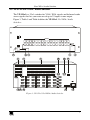
VP-81xl 8x1 XGA / Audio Switcher
VP-161xl 16x1 XGA / Audio Switcher
VP-321xl 32x1 XGA / Audio Switcher
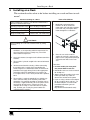
Installing on a Rack
Connecting an XGA / Audio Switcher
Connecting the Balanced/Unbalanced Stereo Audio Input/Output
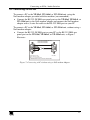
Controlling via RS-232
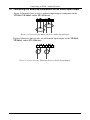
Controlling via RS-485
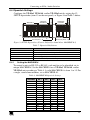
Dipswitch Settings
1
1
1
3
3
3
5
7
9
10
12
13
14
15
6.4.1
6.4.2
6.4.3
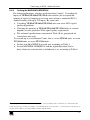
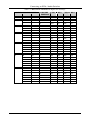
Setting the MACHINE #
Setting the MACHINE ADDRESS #
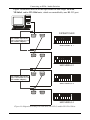
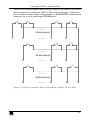
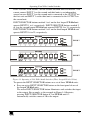
Example: Connecting a Set of Three Cascaded VP-81xl Units
15
17
19
6.5
7
7.1
Connecting the REMOTE Terminal Block Connector
Operating Your XGA / Audio Switcher
Using the Front Panel INPUT SELECTOR Buttons
20
22
22
7.1.1
7.1.2
7.1.3
7.1.3.1
7.1.3.2
7.1.3.3
Using the INPUT SELECTOR Buttons on a Single Unit
Using the INPUT SELECTOR Buttons on a Set of Units
Using the Audio-Follow-Video (AFV) / Breakaway Modes
Operating in Breakaway Mode
Toggling between Video and Audio Control in Breakaway Mode
Operating in the Audio-Follow-Video Mode
22
22
24
24
24
24
8
8.1
8.2
8.3
9
10
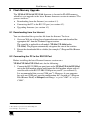
Flash Memory Upgrade
Downloading from the Internet
Connecting the PC to the RS-232 Port
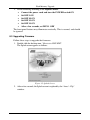
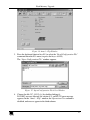
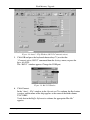
Upgrading Firmware
Technical Specifications
Table of Hex Codes for Serial Communication
25
25
25
26
31
32
i