1
aMode
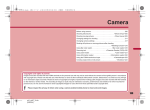
Camera
For capturing still images, select Shooting mode: Normal to shoot single
image and Multi shot or Photo combi to shoot multi-shot.
Captured images are saved to Pictures. Insert Memory Card to save images
to Digital camera.
: Normal
: Sub camera
: Scene
: Auto*
: Landscape*
Note
: Sports*
Avoid getting too close to light. Eyesight may be affected.
: Night*
: Indoor*
: Beach/Snow*
Using Display as Viewfinder
: Dusk/Dawn*
: Face shot
・ Operations are described in Landscape view in this guide.
: Smile shot
ghij k
: Text*
: Type (Natural)*
: Multi shot
b
c
d
e
f
: Type (Dramatic)*
: Type (Natural)*
l m
a
: Type (Dramatic)*
: 6/9 Images (six images)*
: 6/9 Images (nine images)*
7
Camera & Imaging
Hold handset sideways to change Display to Landscape view. Hold handset
vertically to change Display to Portrait view.
・ The view does not change between Portrait and Landscape view during
Multi-shot, Photo Combination, or video recording.
: Speed (Fast)*
: Speed (Normal)*
: Speed (Slow)*
o
n
pq
Still Image Viewfinder
: Speed (Manual)*
: Photo combi
: Panorama shot
*Shown between shooting mode and shooting size.
7-3