1
Training Tools and Tips
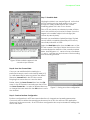
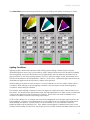
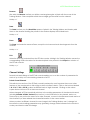
The Clear Plane button clears every pixel in the corresponding color plane, reverting it to white.
Lighting Conditions
Lighting quality is extremely important when training and tracking colored objects. Properly
illuminated objects are so very much easier to track! Indirect illumination from all sides is probably
the best lighting, since point illumination sources (light bulbs) will cast shadows and reflect off of
glossy surfaces on the objects being tracked. Try not to have the target “back” illuminated, since
this will cause shadows and will probably “wash out” their colors. Fluorescent lights are better than
incandescent lights because they have a whiter color spectrum.
When training a channel to track an object, it is very important to view the object under various
conditions. After training under one lighting condition, view the object under another lighting
conditions. Add training as needed.
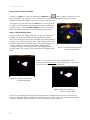
For instance, after training a channel to track an object of a particular color, cast a shadow over
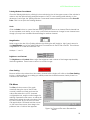
the object. This should reveal, particularly when the Training Window is in Thresh mode, several pixel
colors on the object that the channel is not tracking. Those colors can then be added to the
channel to make the overall color training more robust.
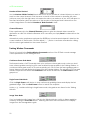
ACTS for Linux allows you to change the contrast and brightness of the images captured from the
frame grabber. However, the trained pixels in a color channel do not change their values when
these settings are altered. A useful trick is to train a channel on a color and then adjust the
brightness slider until the training is lost. Then, add the new brighter (or darker) pixel colors to the
channel with the Add or Draw tools. Iterate this process until the channel has been trained over all
17