1
56
CHAPTER 3. COMPILATION AND INSTALLATION
3.1
Installation
In the following it is assumed that the compressed file with the model code,
e.g. coherensV2.5.tar is downloaded on the user’s home directory. To retrieve
the files use
tar -xvf coherensV2.5.tar
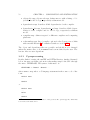
This creates a file directory tree, as shown in Figure 3.1. The root directory is V2.5 which contains the following subtrees
1. code This directory contains subdirectories for each model compartment
• physics: “main” physical compartment
• sediment: sediment model compartment
• biology: biological model compartment (currently not yet available)
Each of these compartments has a source directory with the source
code and a comps directory with the files for compilation.
2. setups
• examples: example code for setting up a user application
• ptests: contains subdirectories each representing a different computing platform. In each directory there are check-up tables for
each test case experiment (see Section 3.3).
• tutorial: setups of test(s) discussed in the tutorial manual (Chapter 2).
• cones, . . . : setups of pre-defined test cases
3. data: data files used in some of the test case applications
4. scr: examples script for running the code on a Unix/Linux platform.
For serial runs Run is the most obvious choice.
5. utils: utility programs
• decomp: utility program for creating a domain decomposition
• post: (non-portable) postprocessing program (only used by some
developers)
The file install test in the root directory is a script, primarily intended
for installing a test case. Its purpose is further explained below.