1
Chapter 8 Tools menu
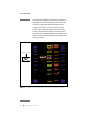
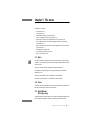
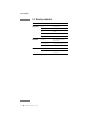
The Tools menu contains—
•
•
•
•
•
•
•
•
•
Select (section 8.1)
Enlarge (ImageQuant Tools only) (section 8.2)
Reduce (ImageQuant Tools only) (section 8.3)
Zoom Area (section 8.4)
Magnifier (section 8.5)
Pan (section 8.6)
Pixel Locator (section 8.7)
Pixel Distance (section 8.8)
Define Region of Interest (ImageQuant Tools only) (section 8.9)
8.1 Select
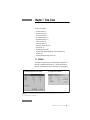
The Select command or button allows you to end mode commands. In
FluorSep, the Select command allows you to select the objects on the image
so that you can move them.
8.2 Enlarge (ImageQuant Tools only)
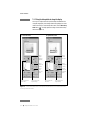
The Enlarge command doubles the magnification of the image. Choose Enlarge
and then click in the area you want enlarged. The pointer position is the center
point for the enlargement. Each click doubles the magnification. Click the
Select button (
) to end the Enlarge mode.
8.3 Reduce (ImageQuant Tools only)
The Reduce command reduces the magnification of the image by half each
time you click the mouse button. Choose Reduce and then click in the area you
want reduced. The pointer position is the center point for the reduction. Click
the Select button (
) to end the Reduce mode.
ImageQuant Utilities User’s Guide
●
p8-1