1
Contents
Contents
1
2
3
Introduction
Getting Started
Overview
Understanding FireWire
FireWire Compliance
Your VS-66FW 6 Port FireWire Switcher
2
2
3
3.3.1
3.3.2
3.3.3
4
5
Achieving the Best Performance
Signal Terminology
Configuring as a FireWire Hub
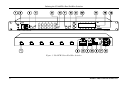
Defining the VS-66FW 6 Port FireWire Switcher
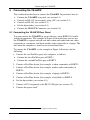
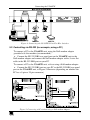
Connecting the VS-66FW
3
3
4
5
8
5.4.1
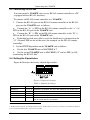
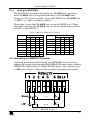
Setting the MACHINE #
11
5.5
Connecting the REMOTE Connector
11
6
Operating the VS-66FW
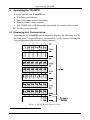
Displaying Unit Characteristics
Switching LEAF- BRANCH Combinations
Confirming Settings
12
13
13
6.3.1
6.3.2
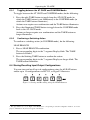
Toggling between the AT ONCE and CONFIRM Modes
Confirming a Switching Action
14
14
6.4
Storing/Recalling Input/Output Configurations
14
6.4.1
6.4.2
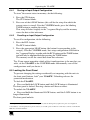
Storing an Input/Output Configuration
Recalling an Input/Output Configuration
15
15
6.5
Locking the Front Panel
15
7
Flash Memory Upgrade
Downloading from the Internet
Connecting the PC to the RS-232 Port
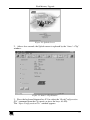
Upgrading Firmware
16
16
16
8
9
10
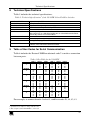
Technical Specifications
Table of Hex Codes for Serial Communication
Kramer Protocol 2000
21
21
22
3.1
3.2
3.3
5.1
5.2
5.3
5.4
6.1
6.2
6.3
7.1
7.2
7.3
Connecting the VS-66FW Rear Panel
Controlling via RS-232 (for example, using a PC)
Controlling via RS-485
Setting the Dipswitches
1
1
1
8
9
10
10
12
16
i