1
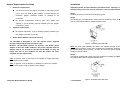
System Requirements for Setup Installation Hardware requirements You have to have a DVI graphic controller or card having a DVI port in your PC, SUN or Mac systems. It should support the maximum graphic resolution feature of displays to be connected. No special requirements memory size, CPU speed and Important: Please use the installation procedure below. Improper, or no operation may result if the start-up sequence is not correctly followed. Step 1 Carefully unpack the contents of the shipping group. Step 2 Plug directly the Tx module of M1-1P0E in the DVI receptacle of PC. Do NOT use any intermediate cable or adapter between them. chipsets, if you’ve already properly installed your DVI graphic controllers or cards. Software requirements No special restrictions, if you’ve already properly installed your DVI graphic controller in your OS. AC/DC Power Adapter Technical Advisory The M1-1P0E is designed to use +5V internal power supplied through a DVI pin (#14) from the graphic card. However, the M1-1P0E requires one external +5V AC/DC power adaptor to drive the Tx/Rx modules if the power supplied from the graphic card is not enough to operate the M1-1P0E. To plug the power into one of two modules (Tx and Rx) makes the other supplied over the hybrid cable. Tips: In general, most of note PCs is not capable to supply sufficiently DC powers for two modules. Figure 2 – Tx Module of M1-1P0E Cable Note: M1-1P0E uses basically the power +5V supplied through a DVI pin (#14) from the graphic cards. After completing the installation instruction, if the system doesn’t work properly, you have to confirm the power capable to supply more than 500mA. Step 3 Plug the Rx module of M1-1P0E in the DVI receptacle of display. Do NOT use any intermediate cable or adapter between them. Tips: In general, most of laptops or desktop PCs with PCI Express graphic card require using an AC/DC power adaptor. Figure 3 – Rx Module of M1-1P0E Cable 1-2 System Requirements for Setup 1-3 Installation