1
Maintenance
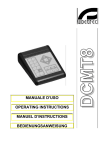
The DCMT8 keyboard does not need a special maintenance.
Make sure it always rests on a solid base, and that the power supply and connection cables do not hinder the operator.
Switch off the appliance to clean it. Clean the keyboard at regular intervals with a cotton dry cloth, avoiding the
use of detergents or wet cloths.
Solution of installation problems
Even if the keyboard DCMT8 is easy to use, some problems may arise during installation, configuration or use.
Problem
At the switching on, the
leds do not flash
The keys work, but the
sequential switcher
does not switch
The keys work, but the
receiver does not
respond
Possible cause
Power supply disconnected
Remedy
Check the power supply cable
Incorrect power supply
The connection cable between
the sequential switcher and the
keyboard is disconnected
Incorrect receiver identification
Check the identification data
Isolate the problem following the test procedure
indicated below
Incorrect position of Shift key
When the led of the Shift key is on, the receivers from
1 to 8 are controlled, when it is off from 9 to 16
Isolate the problem following the test procedure
indicated below
The connection cable between
the receiver and the keyboard
is disconnected
The receiver has no selection
jumper for the receiving mode
Check the receiver identification number
Put the jumper for the receiving selection (RS232/CL)
in the correct position (refer to the receiver manual)
Keyboard-sequential switcher, Keyboard-receiver connection test
To identify the causes of the wrong communication between the keyboard and the sequential switcher (receiver) carry
out the following tests:
• test of direct connection between the keyboard and the sequential switcher (receiver)
• test of connection cable.
Direct connection between keyboard and sequential switcher:
• connect the keyboard and the sequential switcher (receiver) via direct telephone cable
If the test is successful, the problem concerns the connection cables: check the connections to the Rjjack connector
blocks, according to the schemes in the chapter Connectors and Connections.
If the communication problems persist, contact the supplier.
Specification
Power supply specifications
Dimensions:
152 x 55 x 185 mm
Input voltage:
Weight:
850 g
Output voltage:
Connector:
230V~ 50Hz 30VA or 115V~ 60Hz
30VA (as specified on the operating
data labels)
9V~ 50HZ 8VA
14V~ 50HZ 8VA
Mini Din 4 poli
pin 1-3 9V~
pin 2-4 14V~
Pag. 11
DCMT8 9829