1
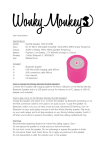
MP3 Volume Down
MP3 Previous Song
Photograph
Mode Switch
MP3/Record or Photograh
Power ON/OFF
MP3 Play/Stop
Reset
LED Display
BLUE: MP3
YELLOW: Record / Photograph
USB Port
Left Earphone Port
MP3 Volume UP
MP3 Next Song
Record
MP3 Operation
1. Turn the POWER ON by pressing the
button for 4 to 5 seconds. The LED
display will turn BLUE indicating the device is in MP3 mode.
2. VOLUME UP --- Hold down the
button.
3. VOLUME DOWN --- Hold down the
3. NEXT SONG --- Press the
button for 1 to 2 seconds.
5. PREVIOUS SONG --- Press the
4. MP3 PLAYER OFF --- Press the
5. POWER OFF --- Press the
firststopbuyers.com
button.
button for 1 to 2 seconds.
button for 1 to 2 seconds.
button for 4 to 5 seconds.