1
KEY FEATURES
•
Centralized Patient Chart - Patient contact can be fully managed without a paper file
•
Quick Entry - Create a Progress Note Template and Charge in a Single Action
•
Rapid Entry of Insurance Vouchers
•
Automated Patient Registration - Assigns the critically important Patient ID #.
•
Customizable Fee Schedule
•
Track Prescriptions, Medication History, and Currently Used Medications
•
Print HCFA 1500 statements as well as patient statements with automatic posting of
Balances forward to the next billing interval
INSTALLATION
The Installation CD-ROM has been configured for Autorun Activation in Windows XP
1) Insert CD into Drive
2) Wait for Autorun Start
3) If CD fails to start, Select START MENU : RUN and type x:\setup.exe in the box
where x = drive letter for your CD Drive
4) Follow on screen instructions to install program
When program installation is completed you will see the P3 2005 Fox icon on your desktop.
Double click the Fox to start the program.
P3 2005
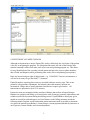
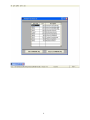
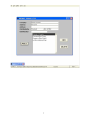
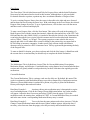
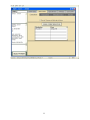
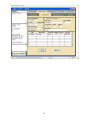
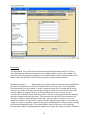
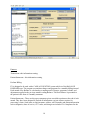
The following image shows the Patient Chart centered on the System Screen. Access to program
features is through the Menu at the top of the System Screen and through tabbed headings in the
Patient Chart. By clicking each tab the user can move to specific work areas such as Registration,
Medications, Finances, and Chart Notes. Tabbing deeper reveals nested tabs that grant access to
other associated work areas.
2