1
Table Of Contents
introduction ................................................................ 2
Cable Modem Features ....................................................... 2
Computer Requirements ..................................................... 2
Cable Modem Overview ............................................... 3
Cable Internet Service Requirements ................................. 3
What The Modem Does ...................................................... 3
What The Modem Needs To Do Its Job .............................. 3
The Right Cable Company ............................................ 3
The Internet Service Provider (ISP) ............................... 3
before you begin ........................................................... 4
Contact Your Local Cable Company ................................... 4
Connecting the Cable Modem ................................. 5
activating the Cable Modem .................................. 8
Initialization Mode .............................................................. 8
Using the Cable Modem .............................................. 9
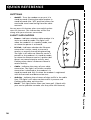
Buttons ................................................................................. 9
Light Indicators – Operational Mode ................................. 9
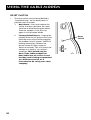
Reset Switch ....................................................................... 10
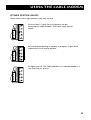
Other Status Lights ............................................................ 11
FREQUENTLY ASKED QUESTIONS .................................. 12
Troubleshooting ........................................................ 13
Service INFORMATION ................................................. 14
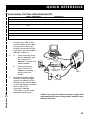
Quick Reference ............................................................ 15
FCC INFORMATION .......................................................... 17
glossary ......................................................................... 18
1