1
Table of Contents
1.
2.
3.
4.
About Kernel Computer Activity Monitor .............................................................................................................6
1.1
Brief about this User Manual ........................................................................................................................6
1.2
Introduction to Kernel Computer Activity Monitor .........................................................................................6
1.3
Salient Features ...........................................................................................................................................7
1.4
System Requirements ...................................................................................................................................8
Understanding the User Interface..........................................................................................................................9
2.1
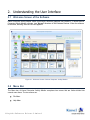
Welcome Screen of the Software ..................................................................................................................9
2.2
Menu Bar ....................................................................................................................................................9
2.3
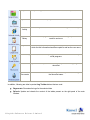
Tool Bar.................................................................................................................................................... 10
Install and Uninstall........................................................................................................................................... 12
3.1
Installing Kernel Computer Activity Monitor............................................................................................... 12
3.2
Uninstalling Kernel Computer Activity Monitor .......................................................................................... 12
Getting Started with the software........................................................................................................................ 13
4.1
View Log Toolbar...................................................................................................................................... 13
4.1.1
Snapshots Logs ...................................................................................................................................... 15
4.1.2
Keystrokes Logs..................................................................................................................................... 17
4.1.3
Internet Activity Logs ............................................................................................................................. 19
4.1.4
Application History Logs ........................................................................................................................ 21
4.1.5
Clipboard Logs ...................................................................................................................................... 23
4.1.6
Email History Logs ................................................................................................................................ 24
4.1.7
Password Logs ....................................................................................................................................... 26
4.1.8
Printed Document Logs .......................................................................................................................... 28
4.2
Settings ..................................................................................................................................................... 31
4.2.1
General Settings ..................................................................................................................................... 31
4.2.2
Snapshots Settings .................................................................................................................................. 33
4.2.3
Clipboard Settings .................................................................................................................................. 35
4.2.4
Applications Settings .............................................................................................................................. 36
4.2.5
Users Settings ........................................................................................................................................ 38
4.2.6
Security Settings .................................................................................................................................... 40
©L e pide Sof t w a r e P r iva t e L im it e d