1
Chapter 15
Strategy Builder
Prior to helping you effectively use your trading account, Tradecision will
secure you against the perils of real trading by performing a precise and
realistic trading simulation. The application will inform you about the
future performance of your trading ideas, thus dramatically reducing the
risks involved. Tradecision introduces an entire rigorous and sound
methodology of evaluating the robustness of your trading system.
Understanding Trading Strategies
A trading strategy is an objective set of rules on when and how to enter
and exit positions. This set of rules should not vary subjectively from day
to day based on brokers’ recommendations, friends' tips or emotions, and,
therefore, can be tested using past data to understand objectively how
profitable, reliable and suitable to your trading style these rules are. First of
all, you need to formalize your own trading ideas or modify/improve wellknown ones. To do so, you need to define the conditions for your buy/sell
orders.
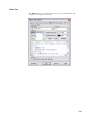
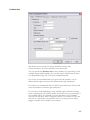
To define the entry/exit conditions, you can use the Improvian language,
offering more than 140 built-in functions, as well as the Improvian Editor,
designed to facilitate your rule creation process. If you are new to strategy
development, you can start with any of the 10 predefined strategies
supplied with Tradecision. All of them are based on well-known trading
ideas and can (or even should) be improved to suit your needs.
When your strategy is designed, you need to apply it to historical data to
find out whether or not you would have made money if you had traded
based on your strategy. The future behavior and profitability of your
strategy will be different from those used in the past, but the past
performance will give you a good idea about what is likely to occur in the
future.
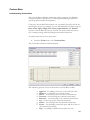
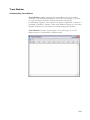
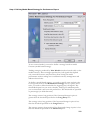
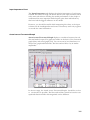
Simulations Manager allows you to realistically simulate your strategy on
one or several stocks at once. Once the strategy is simulated, you can
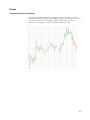
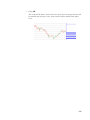
analyze your strategy using the buy/sell signals placed on a chart. You can
also analyze the Strategy Performance Report that provides you with
detailed information on the strategy’s profitability, risk, time analysis and
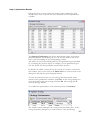
more. Additionally, you can analyze the Trades report with over 10 ratios
for each your trade, as well as Equity and Drawdown curves.
Once you have determined the disadvantages of your trading system, you
can correct them and test the strategy again until you feel confident
enough about using the strategy to make future trading decisions.
315