1
REDDOXX User Manual
Table of contents
1
2
3
Introduction and Start .......................................................................................................... 4
1.1
REDDOXX User Console........................................................................................... 4
1.2
REDDOXX Outlook Add-In........................................................................................ 4
1.3
REDDOXX Web Interface.......................................................................................... 4
Login........................................................................................................................................ 5
2.1
Login with the User Console ..................................................................................... 5
2.2
Login within MS Outlook............................................................................................. 5
2.3
The welcome screen ................................................................................................... 7
Options in the menu bar ..................................................................................................... 8
3.1
Outgoing Mails.............................................................................................................. 9
3.2
Spam Mails.................................................................................................................. 10
3.2.1 Spam Mail Options ..................................................................................................10
3.3
CISS queue .................................................................................................................11
3.4
Archive..........................................................................................................................12
3.4.1 Archive Search ......................................................................................................... 12
3.4.2 Archive options......................................................................................................... 16
3.5
MailSealer....................................................................................................................19
3.6
User Settings............................................................................................................... 20
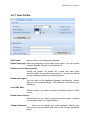
3.6.1 User Profile................................................................................................................21
3.6.2 E-Mail Aliases ...........................................................................................................22
3.6.3 Filter lists....................................................................................................................24
3.7
4
5
Logoff ............................................................................................................................26
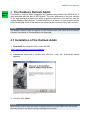
The Reddoxx Outlook AddIn............................................................................................27
4.1
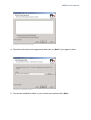
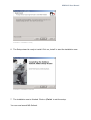
Installation of the Outlook AddIn ............................................................................ 27
4.2
Outlook menu overview ............................................................................................30
4.3
Reddoxx logon............................................................................................................ 30
4.4
The Reddoxx menu ................................................................................................... 31
4.5
Message archiving.....................................................................................................31
4.6
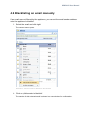
Blacklisting an email manually................................................................................34
Glossary ...............................................................................................................................36