1
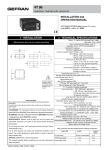
3 • DESCRIPTION OF FRONT PANEL
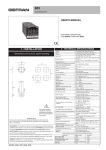
PV display: Indication of process variable
•• Indication of ‘HI’ or ‘Lo’ out of range
•• Indication of open circuit (br) or short circuit (Er)
•• Display of configuration and calibration
messages
“Raise” and “Lower” keys:
These keys are used for any operation that
requires a numerical parameter to be raised or
lowered. •• The speed of change is proportional
to the time the key is pressed. •• The operation
is not cyclic: once the maximum (minimum) limit
is reached, there will be no further increase
(decrease) of the value, even if the key remains
pressed.
The keys can be configured to perform
reset, hold, display of the peak value, etc. as
determined by the ‘t.U.’ and ‘t.d.’ parameters on
the ‘In’ menu.
Label with engineering units
Function key:
Gives access to different configuration stages ••
Confirms any parameter changes
4 • CONNECTIONS
• Power supply
!
~
Standard:
100 to 240Vac/dc
±10%
23
24
3
2
1
21
16
9
4
22
15
10
3
23
14
11
2
24
13
12
1
Ri = 50Ω
1
• Linear input with 3-wire transmitter
4
-
+
4
3
+
2
-
1
+
+
-
Ri = 50Ω
4 to 20mA
• Linear (I) - (V)
dc current
linear input
20mA, Ri = 50Ω
+
R >100Ω
1
dc voltage linear
input
-
4
60mV, 1V, 5V, 10V
2
- 1,2V
+
5
• Inputs
• Linear input 1V for
potentiometer
4
6
8
• Linear input with 2-wire transmitter
2
- Respect polarities
- For extensions,
use compensated
cable appropriate for
thermocouple.
7
17
50/60Hz, 3,5VA max.
• Thermocouples
Available thermocouples:
J, K, R, S, T, B, E, N,
L, U, G, D, C
18
20
Optional:
11 to 27Vac/dc ±10%
PWR
~
19
3
+
2
-
1
+
+
S
-
• Pt100 / PTC / NTC
2
1
+
to connect for 20mA input
-
+
Use wires
of adequate
thickness
(min. 1mm2)
PT100,
JPT100,
PTC, NTC
3
2
1
T
2-wire PTC /
NTC / Pt100
T
3-wire Pt100
• Digital input
Digital input
24V, 5mA
or no-voltage contact
(only for R77 version)
6
5
-
+
Connections for keylock function through digital input (require selection +VT for the signal on contact 3)
2
3
5
+VT
2
+
6
-
OFF (open): keyboard enable
ON (closed): keyboard disable
81600G_MHW_4T48_07-2011_ENG