1
Turning wireless devices on or off
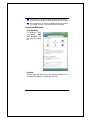
You can use the Connection Manager to turn on and turn off
wireless devices.
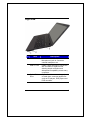
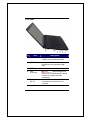
A computer may have a wireless button, a
wireless switch, or a wireless key on the keyboard.
Using a WLAN
A wireless connection connects the computer to Wi-Fi
networks, or WLANs. A WLAN is composed of other
computers and accessories that are linked by a wireless
router or a wireless access point.
Connecting to an existing WLAN
To connect to an existing WLAN:
1. Be sure that the WLAN device is on.)
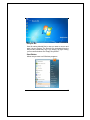
2. Click the network icon in the notification area, at the far
right of the taskbar.
3. Select your WLAN from the list.
4. Click Connect.
Using Bluetooth wireless devices
A Bluetooth device provides short-range wireless
communications that replace the physical cable connections
that traditionally link electronic devices such as the following:
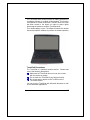
Computers
Phones
Imaging devices (cameras and printers)
Audio devices
Mouse
Bluetooth devices provide peer-to-peer capability that allows
you to set up a personal area network (PAN) of Bluetooth
devices. For information on configuring and using Bluetooth
devices, refer to the Bluetooth software Help.
20