1
RBSMobile: User Manual
Login
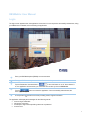
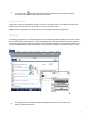
The login screen appears when the application is launched. You are required to successfully authenticate, using
your RBSM account details, before accessing the application.
1
2
3
4
5
1
Enter your RBS Marketplace (RBSM) account username
2
Enter your RBSM account password. You will notice that the password is masked.
3
4
5
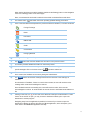
Tap the Remember Username button
to turn this feature on or off. Once feature is
on, the application will remember your username the next time you launch RBSMobile.
button to access the application. Once successfully authenticated, the
Tap the
home page will appear.
The help button
will launch a screen providing useful, support information.
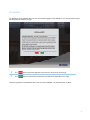
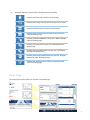
The application will display alert messages for the following events:
• Incorrect login credentials
• No internet connection
• An attempt to login without providing username or password
• A server error
2