1
 Contents
Overview of Machine Functions..................................................................................................................... 1
Manuals for the Machine..................................................................................................................................................... 1
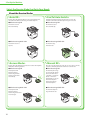
1 Set Up the Machine to Suit Your Purposes................................................................................................... 2
2 Set Up the Machine........................................................................................................................................... 3
Turn on the Machine........................................................................................................................................................ 3
Set Date and Time............................................................................................................................................................. 5
Make Fax Settings............................................................................................................................................................10
Register User Telephone Number and Unit Name....................................................................................................10
Information About the Keys..............................................................................................................................................10
About Sender Information................................................................................................................................................13
Select the Receive Mode that Suits Your Needs........................................................................................................14
About the Receive Modes..................................................................................................................................................14
If You Need to Use Pulse Dialing......................................................................................................................................17
Set Up Network Connection........................................................................................................................................18
Specify the IP Address Settings.......................................................................................................................................19
Set IP Address Automatically............................................................................................................................................21
Check IP Address Setting...................................................................................................................................................22
3 Set Up Computers and Software.................................................................................................................. 24
Types of Connection between Computers and the Machine..........................................................................24
About User Software CD-ROM....................................................................................................................................25
Network Connection......................................................................................................................................................28
Installation Procedure.........................................................................................................................................................28
Check Installation.................................................................................................................................................................37
Setting the ScanGear Tool.................................................................................................................................................37
USB Connection...............................................................................................................................................................39
Installation Procedure.........................................................................................................................................................39
Check Installation.................................................................................................................................................................45
4 Appendix........................................................................................................................................................... 46
User Manual CD-ROM (e-Manual).............................................................................................................................46
System Requirements.........................................................................................................................................................46
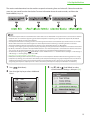
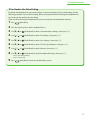
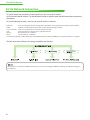
Using the User Manual CD-ROM (e-Manual)..............................................................................................................46
Symbols Used in This Manual...........................................................................................................................................48
Keys and Buttons Used in This Manual.........................................................................................................................48
Important Safety Instructions..........................................................................................................................................48
Installation Requirements and Handling.....................................................................................................................51
Legal Notices..........................................................................................................................................................................52