1
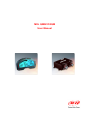
MXL QM & EVO3 QM
User Manual
Release 1.02
SUMMARY
Chapter 1 – AIM QM World ................................................................................................ 3 1.1 – QM Products Family........................................................................................................................... 3 1.2 – QMs Kits .............................................................................................................................................. 5 1.3 – Optional ............................................................................................................................................... 6 1.4 – EVO3 displays .................................................................................................................................... 7 1.5 – AIM Network........................................................................................................................................ 8 Chapter 2 – Installation of QM Products .......................................................................... 9 2.1 – Gauge-Data logger ............................................................................................................................. 9 2.2 – How to connect to your ECU............................................................................................................. 9 2.3 – How to install and power the acquisition switch .......................................................................... 10 2.4 – Sensors ............................................................................................................................................. 11 Chapter 3 – Configuration of QM Products ................................................................... 12 3.1 – Select configuration ......................................................................................................................... 13 3.2 – Channels ........................................................................................................................................... 15 3.3 – System configuration....................................................................................................................... 16 3.3.1 – MXL ............................................................................................................................................. 16 3.3.2 – EVO3 .......................................................................................................................................... 17 3.4 – Display ............................................................................................................................................... 17 3.4.1 - TG dash ....................................................................................................................................... 18 3.4.2 – M3 dash ...................................................................................................................................... 18 3.4.3 – Formula Steering Wheel ............................................................................................................. 19 3.5 – CAN Lambda Configurator .............................................................................................................. 20 Chapter 4 – Race! ............................................................................................................ 23 Chapter 5 – Download ..................................................................................................... 24 5.1 – QMAn ................................................................................................................................................. 24 5.2 – DragOn .............................................................................................................................................. 25 5.2.1 – Download window ....................................................................................................................... 26 Chapter 6 – Analysis........................................................................................................ 28 6.1 – Test/Run manager ............................................................................................................................ 28 6.2 - Analysis View .................................................................................................................................... 31 6.2.1 – Time Plot ..................................................................................................................................... 32 6.2.2 – Histogram.................................................................................................................................... 37 6.2.3 – XY Plot ........................................................................................................................................ 39 6.2.4 – C hannel info .............................................................................................................................. 41 6.2.5 – How to set the time slip info ........................................................................................................ 42 6.2.6 – How to set weather station data ................................................................................................. 43 6.3 – Test Loaded View ............................................................................................................................. 44 6.3.1 – Run Info ...................................................................................................................................... 45 6.3.2 – Time Slip ..................................................................................................................................... 46 6.3.3 – Tachometer ................................................................................................................................. 46 6.3.4 – Weather ...................................................................................................................................... 47 Appendix “A” – Technical draws ................................................................................... 48 A.1 – MXL/EVO3 QM Pista: AMP female connector ............................................................................... 48 A.2 – MXL QM Pro: 22 Pins Deutsch connector ..................................................................................... 49 A.3 – EVO3 QM Pro: 22 Pins Deutsch connector ................................................................................... 49 A.4 – MXL/EVO3 QM Pro: 37 Pins Deutsch connector .......................................................................... 50 www.aim-sportline.com
2