1
VCR OPERATIONS
Using
the
Tape
Counter
The tape counter:
Indicates the elapsed time in the play and record modes (hours, minutes and seconds)
Is reset when a cassette is inserted in the DVD-VOR
- Allows you to easily find the beginning of a sequence
If the remaining time is to be calculated correctly, you must indicate the type of cassette being used
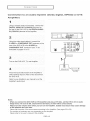
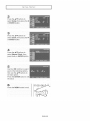
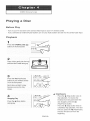
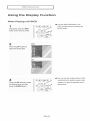
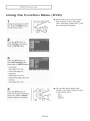
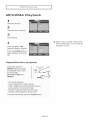
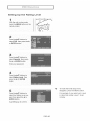
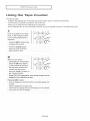
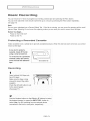
1
nsert
a cassetie
[n jour
DVD-
VCR. To set the taoe coumer
to zero a[ me oeglnnlng at a
sequence
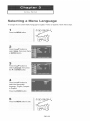
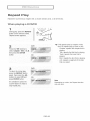
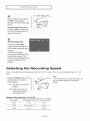
- °'ass the mNFO.LJi[on twice
[o display the counter
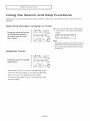
Press the CLEAR button
wrier joe wan[ to se[ the
[ape counter [o zero
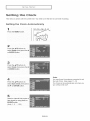
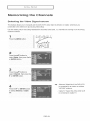
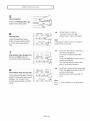
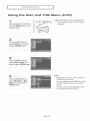
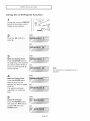
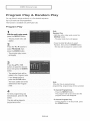
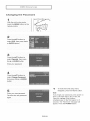
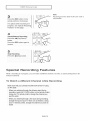
2
When you are reaay
- Starl pla} oack or Rec )ruing.
Press the ! [Stoo #uuan.
- To fast4orward or rewind to
the sec uence at which the
]cuRler was set 1ozero.
presstnetne_
Forward or
44 _Rewlnd_ear[on
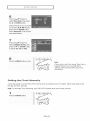
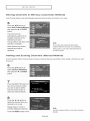
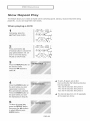
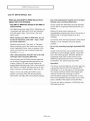
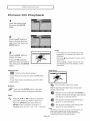
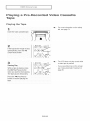
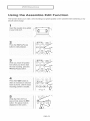
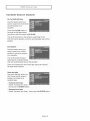
- Some 3VD-VCR information sucn as tne counier, can be
displayed on the tele\ s_on screen.
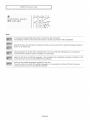
Press the INFO. button.
Once to display the current function, recora_ngspeea aria
:ounIer.
- Twice to dlspla_ the courtier onIj.
- Three tlm,es to display [rie lEna rematnlno on the casser[e
- Four rimes [o clear [he display.
ENG-69