1
PHCADManual
4.7 MACHINE CONTROL..............................................................................................................................33
4.7.1 control parameters ...........................................................................................................................33
4.7.2 download data and machine control ................................................................................................36
4.7.3 start working and controls................................................................................................................38
4.8 Auto Focus Setup………………………………………………………………………………………….40
4.8.1
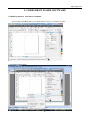
5. CORELDRAW BASED SOFTWARE ................................................................................................................41
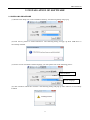
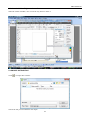
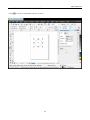
5.1 Add PH_lasercut tool bar to coreldraw.......................................................................................................41
5.2 show the hidden PH_LaserCut toolbar .......................................................................................................45
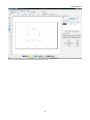
5.3 IMPORT DST/DSB FILE ..........................................................................................................................45
5.4 SWITCH TO INDEPENDENT SOFTWARE............................................................................................46
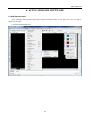
6. AUTOCAD BASED SOFTWARE ......................................................................................................................48
6.1 ADD PHcad toolbar....................................................................................................................................48
6.2 Switch AutoCAD to PHcad: .......................................................................................................................50
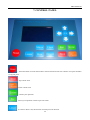
7. CONTROL PANEL .............................................................................................................................................52
8. FREQUENT QUESTIONS ..................................................................................................................................56
8.1 the machine is not working or moving around or part of the graphs is not processed................................56
8.2 the software will shut down when importing the dxf file ...........................................................................56
8.3 Panel tips ( buffer distance not enough) .....................................................................................................56
8.4 tips when downloading files ( The current file is empty) ........................................................................56
8.5 the real figure Imagines the Graphics processed ..................................................................................56
2