1
D2.1.3.2 - OPTIMIS IDE
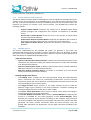
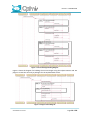
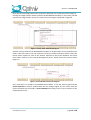
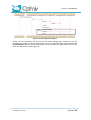
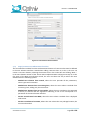
Figure 12. Orchestration Element Wizard
4.1.4 Step4: Create a Core Element Service Class
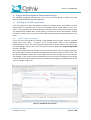
The Core Elements invoked from the Orchestration Elements of a Service Class must be defined
in the Core Element Interface created when adding a Service Class. So, to do it, the user can
create a new Core Element, selecting the Service Class in the combo box and clicking “New…”
in the Core Element Section of the Service Editor Implementation tab (Figure 10 Step 4). In the
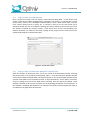
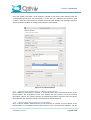
first page, of the New Core Element wizard, the user can select the way to add a new Core
Element from the following options.
-
Method Core Element from scratch, where the user provides all the parameters,
return types and constraints.
-
Method Core Element from an existing class, where the user selects a method from
an existing class, adding only the constraints.
-
Method Core Element from an executable, where the user introduces the command
or binary to execute and the arguments indicating if one of this corresponds to a
parameter of the Core Element interface.
-
Service Core Element from WSDL, where the users select a method from a deployed
web service.
-
Service Core Element from War, where the user selects the war package location, the
service and method.
© OPTIMIS Consortium
Page 19 of 28