1
FI-ES Magnolia Ver 5.0 Implementation Guide
Getting Started with Magnolia Implementation
Step 1
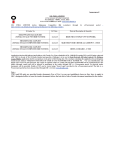
Double click ‘Magnolia’ icon on desktop. Login window is displayed.
Login as Administrator. User name for Administrator is ‘admin’ without
any password. Fig 1(1).
NOTE: Make sure that the date format is dd/MM/yyyy. Otherwise
system will prompt a message while logging in to change the format.
Fig 1(1)
You will get a message. Fig 1(2).
Fig 1(2)
Click “Yes” to register. Admin module is loaded with a message
prompting to register the product. Fig 1(3).
FI-ES Systems Pvt Ltd
Page 2