1
Contents
1
Introduction
1.1
2
2.2
2.3
3
Document Content .................................................................................................... 1-1
Getting Started – The Interfaces
2.1
3.2
3.3
3.4
3.5
3.6
3.7
2-1
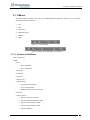
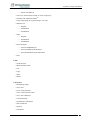
Main Interface .......................................................................................................... 2-1
2.1.1 Menus ........................................................................................................... 2-3
2.1.2 Toolbars ....................................................................................................... 2-5
2.1.3 Project Explorer ........................................................................................... 2-9
2.1.4 Main display ............................................................................................... 2-11
2.1.5 Warning Messages ..................................................................................... 2-11
Working with Project Files ..................................................................................... 2-13
2.2.1 Creating a New File ................................................................................... 2-13
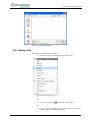
2.2.2 Opening a File ............................................................................................ 2-13
2.2.3 Saving a File............................................................................................... 2-15
2.2.4 Saving a File As… ..................................................................................... 2-16
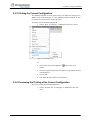
2.2.5 Printing the Current Configuration ............................................................ 2-17
2.2.6 Previewing the Printing of the Current Configuration ............................... 2-17
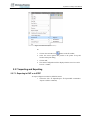
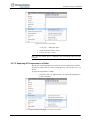
2.2.7 Importing and Exporting ............................................................................ 2-18
2.2.8 Exporting to Automation Studio ................................................................ 2-21
2.2.9 Converting to 3D Environment .................................................................. 2-22
Software and files updates ...................................................................................... 2-24
Building a First Project
3.1
1-1
3-25
Creating a Manifold Project ................................................................................... 3-25
3.1.1 Project Parameters Interface....................................................................... 3-26
3.1.2 System Design Interface ............................................................................ 3-29
3.1.3 Component Properties ................................................................................ 3-44
3.1.4 Creating a Design ....................................................................................... 3-51
3.1.5 Manifold Layout Interfaces ........................................................................ 3-59
3.1.6 Manifold Views.......................................................................................... 3-63
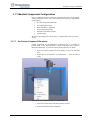
3.1.7 Manifold Components Configurations ....................................................... 3-70
3.1.8 Manifold Dimensioning ............................................................................. 3-77
3.1.9 Parts List Interface ..................................................................................... 3-80
Creating a “Price Components” Project ................................................................. 3-80
3.2.1 Project Parameters Interface....................................................................... 3-81
3.2.2 Price Components Interface ....................................................................... 3-81
Revision History ..................................................................................................... 3-83
3.3.1 Accessing the Revision History ................................................................. 3-83
3.3.2 Revision History Dialog Box ..................................................................... 3-84
3.3.3 Revision History Interface – Creating Revisions ....................................... 3-85
Freezing/Unfreezing the Prices of a Manifold Project ........................................... 3-87
Pricing Wizard ........................................................................................................ 3-87
Price Parameters ..................................................................................................... 3-89
3.6.1 Price List Registration ................................................................................ 3-89
3.6.2 Discount Schedule...................................................................................... 3-90
3.6.3 Global Multipliers ...................................................................................... 3-90
3.6.4 Pricing Disclaimer ...................................................................................... 3-90
3.6.5 Standard Terms and Conditions of Sales ................................................... 3-91
Software Options .................................................................................................... 3-91