1
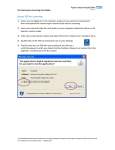
Make certain Reuse windows for launching shortcuts isn’t ticked
Some users may find that Internet Explorer won’t start with the AirUWS login screen. This may happen
if you have a blank home page, a complex home page address, or your home page is stored in the
browser’s cache. If you experience problems opening the login screen, try holding down your Shift key
while pressing the F5 key. This action overrides the cache, and the login screen should open. If that
fails, try setting your home page to http://www.uws.edu.au, which redirects properly. If AirUWS’ login
page opens, there is no need to make changes. Changing your home page back for non-UWS use is
optional.
• Open IE’s Tools menu à Internet options à General tab à Home page à enter the new home
page details à click OK.
Updated:14/09/2011
3