1
Editing pages
The contents of pages are arranged into sections called 'blocks'. Each block corresponds to a particular type of
content, for example text and images (the Content block), a staff profile (the Person block) or a contact form
(the Form block).
You can generally add as many blocks as you like to the editable areas of a page, which are denoted by a red
outline when in Edit Mode (see below). Blocks are stacked vertically and once created they can be re-arranged
or even moved from editable area to another (for more on that, see Rearranging blocks on page 7).
i. Editing existing blocks
In order to edit a page it must be in Edit Mode.
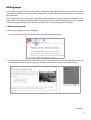
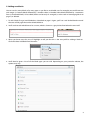
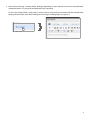
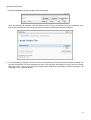
1. First, navigate to the page you'd like to edit and click Edit Page in the Toolbar:
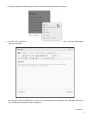
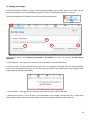
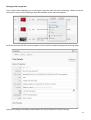
2. Once the page has reloaded into Edit Mode, you'll see red dashed boxes around the content that you can
edit. When you rollover a red box it'll go grey. This tells which section of content you're about to edit.
continued...
2