1
3. Projects
This chapter explains how projects are organized in timePO and how you can create your projectbased company structure and manage it.
3.1 What is a project?
The term „project” used in timePO refers to a specific set of tasks, bundled into a whole unit,
related to a particular client. It is the choice of the respective company how it will structure its
projects: It can either define an order as a timePO project and divide this order into several tasks
within this project, or split the whole order into multiple timePO projects (in case of large orders).
The decision is entirely up to you. However, it is important to keep in mind that timePO offers a
billing service as well. You will be able to generate an invoice for a specific “project” recorded in
timePO, and send it directly to your client. So it is wise to plan your timePO projects accordingly,
to be able to use the billing feature effectively.
3.2. Projects in timePO
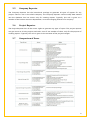
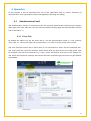
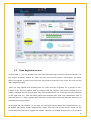
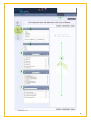
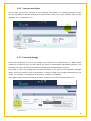
Projects are organized in a tree structure, with subordinate sub-projects and tasks. You can create
an unlimited number of projects, sub-projects or tasks in timePO.
Tasks can be created as subordinate elements for a sub-project or
directly for a project. The smallest “unit” in timePO is a task, followed
by a sub-project, then a project. A user can only register their worked
time for a certain task, and not for a sub-project or a project.
From experience, the structures with unlimited levels of the tree are
not transparent enough, and the typical user needs more time to learn
the structure, to have a good overview and to keep up with the
assigned projects. Thus, we limited our structure to three levels of depth, for easier use. A
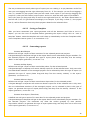
representative project structure is shown in the screenshot placed on the left side.
3.2.1.
Properties of a project
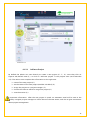
Any project can be customized by its Project Manager, or PM-Deputy. The project members don’t
have the privilege to change any setting of the project. The project is always attached to a client,
whether external or internal.
3.2.2.
Validity of a project
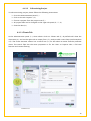
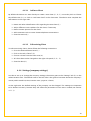
The validity of a project is given by the start- and end-date set by the Project Manager. The main
limitation these dates give is to the entries made by project members. They can enter time worked
on tasks related to the project only within the validity time period of the project. Project members
cannot enter time for tasks worked after the end-date of the project. Naturally, they can enter time
worked for past days, but within the validity period. The date of the registering the time does not
matter, as long as the user inputs it within the time limits of the project.
7