1
244
DesignBuilder 1.5
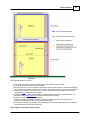
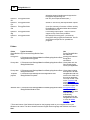
% Zone Controlled by Lighting Area 2
The fraction of the zone floor-area whose electric lighting is controlled by the daylight illuminance on the
second sensor. This data is required if Lighting Area 2 is being used. A percentage equal to
100 – [%Zone Controlled by Lighting Area 1] - [%Zone Controlled by Lighting Area 2]
is assumed to have no lighting control (i.e. in this uncontrolled area of the space, the lights operate purely
according to the schedule without any dimming/switching).
PROCEDURE
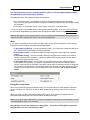
The procedure for introducing the lighting control is:
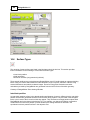
1. Check the Lighting Control On checkbox (at building level if all zones are to have lighting control).
2. Select the type of control as described below.
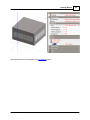
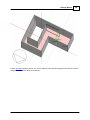
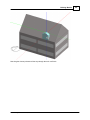
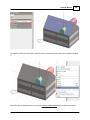
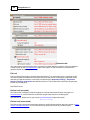
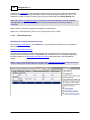
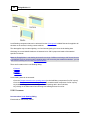
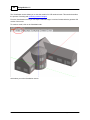
3. Position the first sensor in each zone having lighting control. The z-position is set by the Working
plane height on the Advanced tab of the Model options dialog.
4. Set the % Zone covered by Lighting Area 1. If all the lights in the zone are in Lighting Area 1 (i.e.
they are controlled by the 1st (main) lighting sensor then enter 100%.
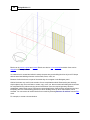
5. If there are two lighting areas then position the second sensor.
6. Set the % Zone covered by Lighting Area 2. If all the lights in the zone are in Lighting Area 2 (i.e.
they are controlled by the 2nd lighting sensor) then enter 100 - %Zone covered by Lighting Area 1.
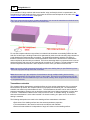
Note: by default the main lighting sensor is positioned in the geometric centre of the zone. It is important
that you check the position of all lighting sensors to obtain accurate results. For example, if the lighting
sensor is positioned right next to a window receiving large amounts of daylight, the lighting sensor will
signal 'enough daylight' even if the rest of the zone is only dimly lit and electric lighting energy will be
under-estimated (daylight savings over-estimated).
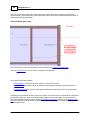
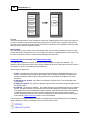
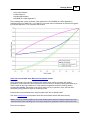
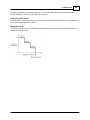
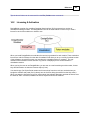
Continuous Control
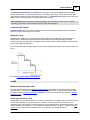
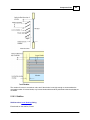
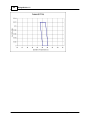
With Continuous control, the overhead lights dim continuously and linearly from maximum electric
power, maximum light output to minimum electric power, minimum light output as the daylight illuminance
increases. The lights stay at the minimum point with further increase in the daylight illuminance.
The Minimum input power fraction for Continuous control type is the lowest power the lighting system
can dim down to, expressed as a fraction of maximum input power. For Continuous/off lighting control,
this is the power fraction reached just before the lights switch off completely.
© 2008 DesignBuilder Software, Ltd.