1
9
–
3.2 Starting and Shutting Down the Workstation
3.2.1 Turning on the Workstation
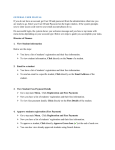
Turn on the fan by pressing the FAN button. Input the Fan PIN if asked (if PIN ≠ 0000). This will start the warm
up procedure (default: 3 minutes). All buttons are diabled during warm up period.
3.2.2 Turning off the Workstation
Turn off the fan by pressing the FAN button. Input the Fan PIN if asked (if PIN ≠ 0000). This will start the post
purge procedure (default: 0 minute). All buttons are diabled during post purge period.
3.2 Working in the Workstation
Surface-decontaminate the work area before and after using the workstation.
Allow the workstation to purge any contaminant by allowing the blower to operate at least 3 minutes
before and after using the workstation.
Place all items and apparatus in the safe working area.
Ensure the air grilles are not obstructed by your arms or any other objects.
While working in the workstation, move your hands slowly and in a controlled manner. Rapid
movements may disrupt the air barrier, allowing contaminants to escape or enter the workstation.
3.3 Decontamination and Disinfecting Agents
For stainless steel surfaces, all common disinfecting agents except chlorine-based ones are suitable.
For powder coated surfaces, all common disinfecting agents are suitable. However, the workstation
has been specifically evaluated for use with the following:
o 1N hydrochloric acid
o 1N sodium hydroxide
o 1% quaternary ammonium compound
o 5% formaldehyde
o 5,000 ppm hypochlorite
o 2% iodophor
o 5% phenol
o 70% ethyl alcohol
Depending on the contaminant involved at the time of operating the workstation, there are various
other types of disinfecting agents that may be used. The following table outlines the effectiveness of
various disinfecting agents against the different types of contaminants.
Bedding Disposal Animal Containment Workstation