1
Closing the Notification Panel
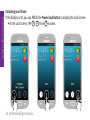
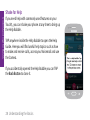
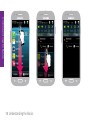
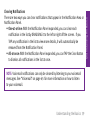
There are three ways to close the Notification Panel:
•TAP the Back Button ( ) or
•PRESS the Home Button (
) or
•DRAG upwards starting from the bottom of the screen until you reach the top
NOTE: Pressing the Home Button (
) will take you back to the Home Screen on
your phone. Use the Back Button ( ) if you would like to close the Notification
Panel and return to where you left off.
Understanding the Basics 41
Understanding the Basics
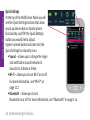
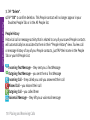
• Screen Rotation – allows you to turn the Screen Rotation feature on or off.
With this feature on, the screen will automatically rotate on certain screens
depending on how you hold the phone.
• Airplane Mode – allows you to turn all cellular and data connectivity off. When
this feature is enabled, you will not be able to make or receive calls, send or
receive messages or access the Internet. See “Airplane Mode” on page 116.