1
2
<<Contents>> <<Index>>
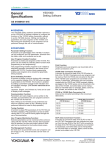
Check Support Function:
This function indicates check procedures for maintenance person by showing Check Operation Guide
windows on the YSS1000 screen.
The check result can be recorded in the internal memory of the YS1000 series or saved in the PC. It can be
printed on reported format.
Main check items
Input / output check(X,Y,DI,DO)
Display function check(LCD, LED, operation KEY)
Hard manual function check
Record of Model name, serial number, check date,
checker
nOPERATING ENVIRONMENT
OS:
Windows 7 Professional (32bit/64bit)
Windows 8.1 Pro (32-bit/64-bit versions for Desktop)
Supported Languages:
Languages that can be inputted in the comment and
title fields
Japanese OS: English and Japanese
English OS: English
Chinese OS: Chinese and English
CPU:
Pentium4 processor, 3.0GHz or higher or Core2Duo
Processor, 1.8GHz or higher recommended
Main memory capacity:
2GB or more
Hard Drive Capacity:
Package program storage: 100MB or more
Display:
1024 x 768 pixels or more
Font: Small font
Color: 256 or more colors
CD Drive:
One (required for installation)
Printer:
Required for printing, support for letter or A4 size
Communication Specifications
Three connection methods available: USB connection (using a exclusive cable), RS485 connection,
and Ethernet connection.
USB Connection
The USB port on a PC and the communication port
inside the front panel of the YS1000 can be connected with a exclusive cable. (A1053UR)
PC specification: USB1.0
Ethernet Connection
The Ethernet port on a PC and the Ethernet port on the
back panel of the YS1000 can be connected with an
Ethernet cable.
Specification:IEEE802.3 compliant
10BASE-T/100BASE-TX
RJ45 connector
For a connection via a hub: Straight cable
For a direct connection: Cross cable
RS485 Connection
RS485 communication is possible via the RS485 communication terminal on the back panel of the YS1000.
Specification: EIA RS485 compliant
nCONNECTION METHODS
USB Connection
Connect the exclusive cable to the inside panel at the bottom of the front panel of the YS1000.
YS1000
Swing up the front panel
PC
To a USB terminal
Exclusive cable
0103E.ai
Note: The communication port inside the front panel of the YS1000 is incorporated into the YS1000 as standard.
All Rights Reserved. Copyright © 2014, Yokogawa Electric Corporation
GS 01B08K02-01EN
Jun.13,2014-00