1
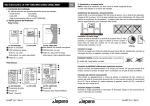
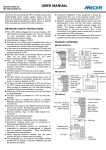
1.
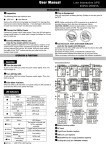
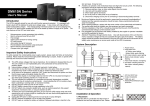
Fault LED
2.
UPS status LED: AC mode: green lighting
Battery mode: green flashing
3.
AC mode: indicating load level
Battery mode: indicating battery capacity
For 1500/2000 models
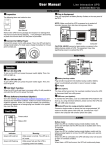
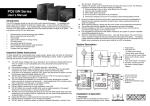
1. AC Input & AC fuse
2. Output receptacles
3. USB com. Port ( AP models )
4. Modem/Phone/Network surge
protection ( AP Models )
5. Circuit breaker
INSTALLATION & OPERATION
1) INSPECTION
Inspect the UPS upon receipt. Notify the carrier and dealer if there is damage. The package is
recyclable; save it for reuse or dispose of it properly.
2) PLACEMENT
Install the UPS in a protected area
that is free of excessive dust and has
adequate air flow.
Please place the UPS away from other
units at least 20 cm to avoid interference.
DO NOT operate the UPS where the temperature and humidity is outside the specific limits.
(Please check the specs for the limitations.)
3) CHARGING
Plug in the AC input cord to the wall outlet. For the best results, it is suggested to charge the
batteries at least 4 hours before initial use. The unit charges its battery while connected to the
utility.
4) CONECTION OF EQUIPMENT
Plug in the loads to output receptacles on the rear panel of the UPS. Simply turn on the power
switch of UPS unit, then devices connected to the UPS will be protected by UPS unit.
5) CONECTION OF NETWORK
To surge protect a network connection, connect a network cable from the wall jack outlet to the
IN jack of the UPS. Then connect a network cable from the OUT jack of the UPS to the
network device.
3