1
REI2
Single Starts Program
Doc: R2U_S_1079_001_E
Version: 1.07.9
Page 51 of 109
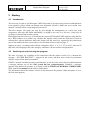
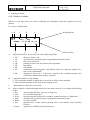
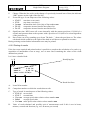
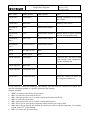
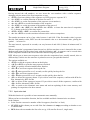
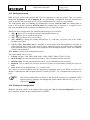
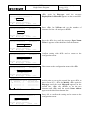
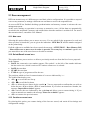
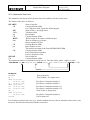
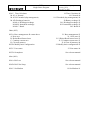
The figure below shows the data request display.
Run number whose starting order must be calculated
Hh:mm:ss.d Start order for:
A:Run
1
B:Based on Ranking of
xxx
C:Relevant to run
1
D:Group (0=all bibs.)
0
E:Invert First(0=All)
15
ESC=quit ENT=exec. ALT+ENT=exec+NF-NA-SQ
A
B
C
D
E
Basis for calculation
Run on whose ranking the calculation must be made
Group to process
Number of competitors to invert for the group (BIBO)
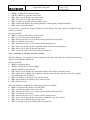
The enabled function keys are:
• <F1> Run Pressing this key allows you to change the run number whose start order is to be
calculated
• <F2> Based on Ranking of Each time you press, one of the two calculation methods is
proposed: Total times or Run times
• <F3> Relevant to run Pressing this key allows you to change the run to be used for the
calculation based on the run times or to set the last run number to be used for the calculation
based on total times up to that run
• <F4> Group (0=every number) Pressing this key allows you to to select the group on which to
carry out the list calculation. With 0 the calculation is made on all the competitors
• <F5> Invert first: with this key you can change the number of competitors to invert, BIBO
regulation. If 0 is set, all the competitors in the ranking are inverted
• <ESC> ESC=quit> to quit the function
• <ENT> ENT=execute to make the calculation.
• <ALT>+<ENT> ALT+ENT= to make the calculation considering also the competitors not
classified in the previous runs.
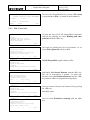
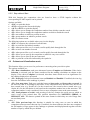
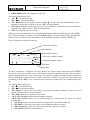
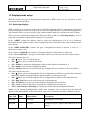
When you have set the correct values by pressing <ENT>, the list is calculated. When processing
has finished, the message ‘DONE!!!’ appears for an instant and the function keys are activated.
• <F1> Print list To print the list just calculated, return to list calculation
• <F2> Other list to return to the previous function and calculate a new start list or add to one
just calculated
• <F5> menu to quit the start list calculation function.
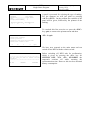
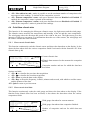
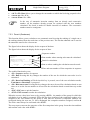
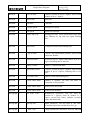
If there already exists a start list for the run selected, the warning: ‘ATTENTION!!! Starting list
already exist for run number xxx!!’ appears and the function keys are activated.
• <F1> Append the new list to add the part of the list just calculated to the end of the list already
present
• <F2> Delete the list in the memory to annul the part of the list already present, possibly after
confirmation with the <F4> key, and replace it with the one just calculated.
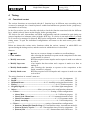
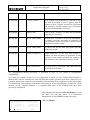
If there are already 4 start lists in the memory, the warning ‘ATTENTION!!! No list available.
Proceed to deletion of at least one list’ appears and after a few seconds the list deletion function is
activated. For details see section 11.3.3 Deletion of start lists on p.67.
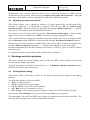
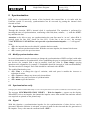
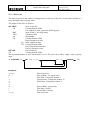
For example (list memory empty):