1
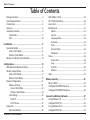
Table of Contents
Table of Contents
Package Contents.......................................................................... 4
System Requirements.................................................................. 5
Introduction.................................................................................... 6
Features............................................................................................. 8
Hardware Overview...................................................................... 9
Connections............................................................................ 9
LEDs..........................................................................................10
Installation........................................................................11
Operation Modes.........................................................................11
Access Point Mode..............................................................12
Wireless Client Mode..........................................................13
Wireless Installation Considerations.....................................14
Configuration....................................................................15
Web-based Configuration Utility...........................................15
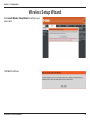
Wireless Setup Wizard................................................................16
Access Point Mode..............................................................17
Wireless Client Mode..........................................................19
Manual Configuration................................................................21
Wireless Settings..................................................................21
Access Point Mode.........................................................22
Wireless Client Mode.....................................................24
LAN Settings..........................................................................25
Static IP...............................................................................26
DHCP Server.....................................................................27
Advanced.......................................................................................28
Advanced Wireless..............................................................28
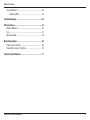
D-Link DAP-1160 User Manual
MAC Address Filter......................................................................29
Wi-Fi Protected Setup................................................................30
User Limits......................................................................................31
Maintenance.................................................................................32
Admin......................................................................................32
System.....................................................................................33
Language Pack......................................................................34
Firmware.................................................................................34
Time..........................................................................................35
System Check........................................................................36
Schedules...............................................................................37
Status...............................................................................................38
Device Info.............................................................................38
Logs..........................................................................................39
Statistics..................................................................................40
Wireless...................................................................................41
Help..................................................................................................42
Wireless Security..............................................................43
What is WPA?.................................................................................44
Configure WPA/WPA2 Personal..............................................45
Configure WPA/WPA2 Enterprise...........................................46
Connect to a Wireless Network........................................47
Using Windows® XP.....................................................................47
Configure WPA-PSK.....................................................................48
Using Windows Vista® ................................................................50
Configure WPA-PSK.....................................................................52
2