1
Contents
Contents
1
2
2.1
3
4
5
6
6.1
7
7.1
Introduction
Getting Started
Quick Start
Overview
Your Picture in Picture Inserter / Quad Split Machines
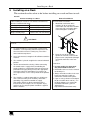
Installing on a Rack
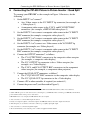
Connecting the PIP-500 Picture in Picture Inserter / Quad Split
Connecting a PC
Configuring and Operating Your PIP-500
Using the Menu
1
1
1
3
4
9
10
12
13
13
7.1.1
7.1.2
7.1.3
7.1.4
The Mode Submenu
The Video Settings Submenu
The Presets Submenu
The Labeling Submenu
15
16
17
17
7.2
Displaying the Layers in the PIP Mode
18
7.2.1
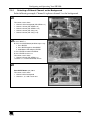
Selecting a Different Channel as the Background
19
8
8.1
8.2
8.3
9
10
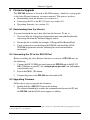
Firmware Upgrade
Downloading from the Internet
Connecting the PC to the RS-232 Port
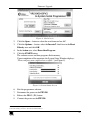
Upgrading Firmware
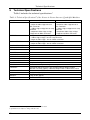
Technical Specifications
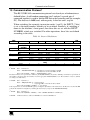
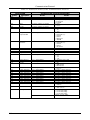
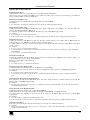
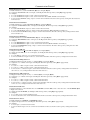
Communication Protocol
20
20
20
20
22
23
Figures
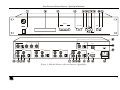
Figure 1: PIP-400 Picture in Picture Inserter / Quad Split
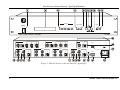
Figure 2: PIP-500 Picture in Picture Inserter / Quad Split
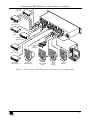
Figure 3: Connecting the PIP-500 Picture in Picture Inserter / Quad Split
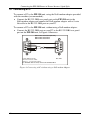
Figure 4: Connecting a PC without using a Null-modem Adapter
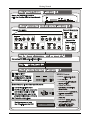
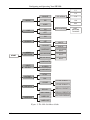
Figure 5: The PIP-500 Menu Guide
Figure 6: The PIP Mode
Figure 7: The QUAD Mode
Figure 8: Goal Screen
Figure 9: System Status Screen
5
6
11
12
14
15
15
21
21
i