1
Contents
Contents
Safety and Regulatory Information ............................................................................................................... v
Getting Started .............................................................................................................................................. 1
In the Box............................................................................................................................................................................. 1
Additional Item(s) Needed (Not Included) .................................................................................................................... 2
System Requirements ....................................................................................................................................................... 2
Contact Information .......................................................................................................................................................... 3
Product Overview .......................................................................................................................................... 4
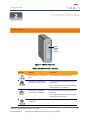
Front Panel .......................................................................................................................................................................... 4
Rear Panel............................................................................................................................................................................ 5
Cable Modem Label .......................................................................................................................................................... 6
Installing Your Cable Modem ........................................................................................................................ 7
Connect the SB6190 to Your Computer ...................................................................................................................... 7
Establish an Internet Connection ................................................................................................................................... 8
Monitoring Your Cable Modem and Connected Network ............................................................................ 9
Start the Cable Modem Web Manager ......................................................................................................................... 9
Cable Modem Web Manager Screen Options ..........................................................................................................10
Menu Buttons ...........................................................................................................................................................10
Menu Links .................................................................................................................................................................10
Get Help .............................................................................................................................................................................11
View the Cable Modem Status ......................................................................................................................................12
View the Cable Modem Product Information ............................................................................................................13
View the Event Log ..........................................................................................................................................................13
View the Cable Modem Network Connection Information ....................................................................................14
View the Cable Modem Configuration ........................................................................................................................15
Restore the Factory Default Settings ...........................................................................................................................16
Restart the Cable Modem ..............................................................................................................................................17
Exit the SB6190 Web Manager .....................................................................................................................................17
Troubleshooting Tips .................................................................................................................................. 18
Solutions ............................................................................................................................................................................18
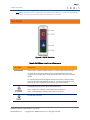
Front Panel LED Icons and Error Conditions .............................................................................................................19
Warranty Information ................................................................................................................................. 20
SURFboard SB6190 Cable Modem • User Guide
365-095-28610 x.2
Copyright 2015 ARRIS Enterprises, Inc. All rights reserved.
iii