1
Commodore Free Magazine
www.commodorefree.com
http://www.64hdd.com/index_en.html
the software will work with your registered version of
GEOS.
The author also sells a speed up cartridge for user
with HDD64 speeding up access to the files stored
on pc, check the website for full details.
The website also sells various connectors and can
transfer floppy disks to disk images.
Also of note to CMD Hard disk owners is drive ghost
Allowing users to backup there Hard disk
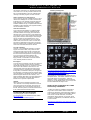
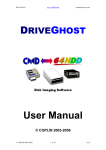
DRIVEGHOST
Here is information taken from the website on both
HDD64 and Ghostdrive (as I promised Nick many
times I would promote his software sorry its taken so
long Nick) DRIVEGHOST is the only disk imaging
software for your CMD drives.
Overview
DRIVEGHOST is a tool for "imaging" or "ghosting"
the contents and structure of CMD drives. Drive
ghosting is far more than a backup - it is a complete
track and sector accurate method of copying data
and ensuring that systems, not just files, can be
restored at a later date. Programs, databases,
GEOS, Wheels, anything and everything is captured!
DRIVEGHOST images the contents and structure of
your CMD HD, FD or RAMLINK to special files on a
PC configured to run 64HDD. These image files can
be kept on this PC or burnt to CDROM for a more
permanent backup. DRIVEGHOST offers the
flexibility of a complete backup/restore, user selected
partitions, or the ability to import individual partitions
to new drives or locations. It even lets you import
D64 files downloaded from the internet or from
archives onto you CMD drive.
Features
•
Complete backup solution for CMD drive
users - HD, FD or RAMLINK
•
Uses imaging so as to capture all disk data
- not just the files
•
Simple, intuitive point and click user
interface
•
Runs unsupervised once started
•
Works with freeware and Professional
versions of 64HDD using the popular X1541 cable, or
use it in combination with IDE64
•
Image files stored in PC format and can be
transferred to CDROM
•
Ideal for:
o
Backups
o
Restoration
o
Drive mechanism upgrades
o
Data exchange
o
Installing D64 files
o
Shuffling partitions around
o
and more...
•
Version 1.06 includes:
o
Standard serial mode
o
Fast-Serial restore mode
o
PwrLoad cable support for the fastest
backup/restore
o
IDE64 file system mode to backup/restore
your CMD system
Introduction
DRIVEGHOST is a unique backup tool available to
the Commodore 64 user. It’s powerful, yet easy to
use. A graphical user interface allows easy selection
of 64HDD and CMD drives, tagging of partitions to
backup or restore, and navigation of your 64HDD
archives.
Issue 15 January 2008
DRIVEGHOST will work with 64HDD core version
v0.7b5 (or better) - freeware or Professional versions.
64HDD is a MSDOS PC based emulation program
that allows 8-bit Commodore computers to access
the power of PC drives via the popular X1541
compatible cable. To find out more about 64HDD,
refer to the separate user manual or the website. A
copy of the current freeware version of 64HDD is
included with your distribution of DRIVEGHOST.
Of course there is no need for 64HDD if you intend to
use DRIVEGHOST with your IDE64.
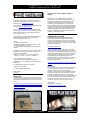
64HDD Details
64HDD is a low-cost alternative to purchasing a Hard
Drive for your Commodore™ (C64, C128, Plus4/C16
or Vic20). 64HDD works with "images" of real
Commodore disks and tapes. These images are
created by transferring the data from a real disk/tape
to a standard file format. Typical disk images are
known as D64 files. Typical tape images are known
as T64 files. There are many programs available that
will let you transfer your data, and many websites
that host archived D64 files.
The 64HDD software lets you connect your
Commodore computer to the LPT port of a PC using
a standard X1541 or XE1541 transfer cable. For a
faster connection a special PwrLoader parallel cable
can be used to speed things up by as much as 3050times.
Once configured, your Commodore can have access
your data which is safely stored and backed-up on
the PC without having to fiddle about with dozens of
floppies and old floppy disk drives.
In addition to using your PC's hard disk, you can
access its CDROMs, USB drive, Real-Time-Clock,
etc. The PC system can be any standard
386/486/Pentium etc. 64HDD runs under MSDOS (or
a DOS-Box on some Win9x systems) but may not
run under Windows 2000, NT or XP unless they have
an alternate DOS boot configured or a Direct-IO
driver. If you are stuck using a non-DOS system such
as Win2k/XP/NT or Linux, 64HDD is also avaible on
bootable CD-ROM.
64HDD supports D64, D71, D81, T64, LNX images
and also the Native MSDOS file system. The
MSDOS mode even supports Commodore 16character filenames in Win95 LongFileName format if
the LFNFILES plug-in (v1.55 upgrade) (125kb) has
been installed. You can even command the PC's 3.5"
floppy drive to read /write 1581 disks using Womo's
1581COPY.
The full freeware download includes utilities and test
software, as well as 64Xplor (a cross-platform file
Explorer for C64/C128/C16/Plus4/Vic20 machines
and works with real and 64HDD drives).
GEOS64 is supported via a custom kernal disk
driver. Utilities are included in the driver download to
provide time and date support as well as a disk
ShortCuts tool for jumping between D64's containing
your GEOS collection.
Not forgetting the thousands of other hardware and
software that is available for various commodore
machines, check other issues so you don’t miss out
page - 23 -